Microsoft Teams Rooms updates (2025–2026): key features, changes, and what matters

Here’s a practical summary of the Microsoft Teams Rooms updates over the last 12 months - covering new functionality, feature additions, and UI/UX changes across Teams Rooms on Windows and Teams Rooms on Android.
What are the main Microsoft Teams Rooms updates in 2026?
Across the last year, Microsoft focused Teams Rooms on five areas:
- AI-assisted meetings
- Accessibility and language support
- Event and Town Hall participation
- Intelligent camera and room experiences
- Touch-board and room device UX improvements
There were also important updates related to:
- Windows 11 support
- Android calendar and authentication resilience
These updates affect both meeting room technology strategy and Teams Rooms management in enterprise environments.
Teams Rooms on Windows: key features and changes
1) Live transcription and translated captions
Teams Rooms on Windows now supports:
- Live transcription directly on the room system
- Start/stop transcription from the room console
- Changing the spoken language during meetings
- Side-by-side original and translated transcripts
- Translated captions shown in-room
This is one of the most significant user-facing updates.
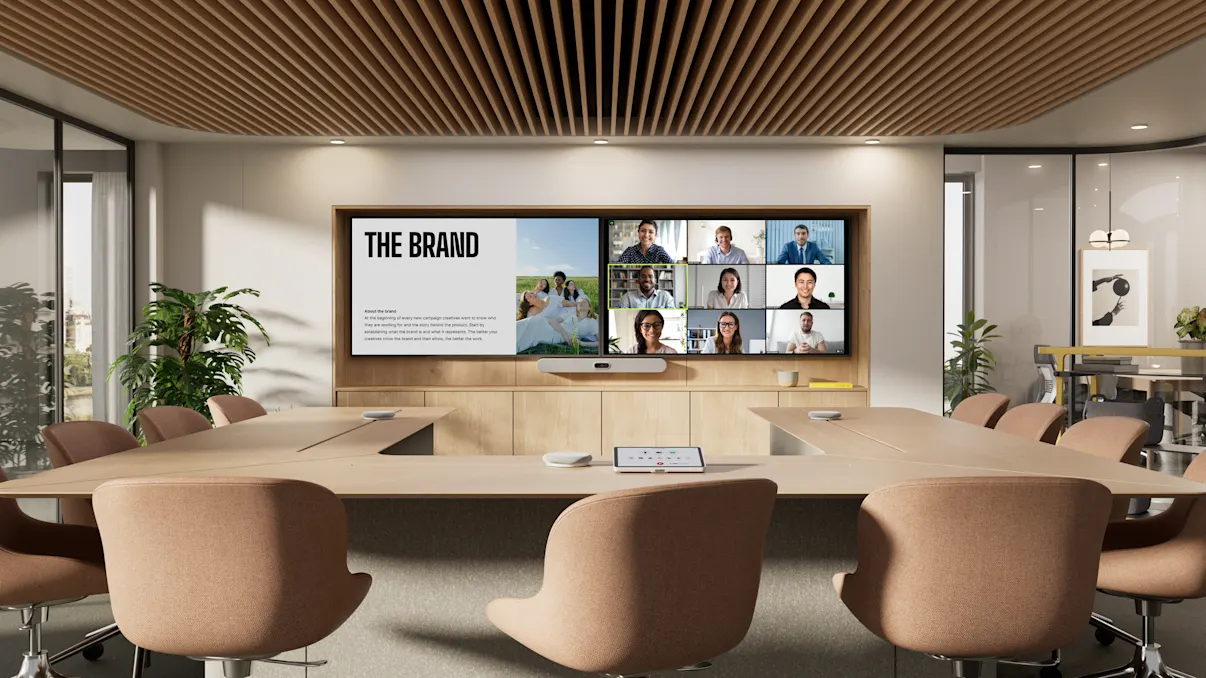
2) Updated Gallery View
Microsoft introduced a new Gallery View that:
- Standardises participant tile sizes
- Prioritises the meeting stage
- Improves layout flexibility
- Aligns more closely with desktop Teams
This is a noticeable UI change across single and dual display rooms.
3) Real-Time Text (RTT)
RTT is now visible on the front-of-room display.
- Available via service-side rollout (Aug 2025)
- Viewing supported in-room
- Sending still requires a companion device
4) Facilitator agent (AI meeting support)
Teams Rooms supports the Facilitator agent in scheduled meetings:
- AI-generated meeting notes
- Agenda and time tracking
- Web-backed queries
- Content accessible after meetings
5) Touch-board experience improvements
Enhancements include:
- Support for certified touch consoles
- Browser access (private browsing in Edge) during meetings
- Expanded support for devices like Surface Hub 3
6) Recognition features and admin controls
New capabilities include:
- Recognition of in-room participants (with Cloud IntelliFrame)
- Voice and face recognition settings via Pro Management UI
- Reduced reliance on PowerShell for setup
7) Multi-camera support and intelligent framing
Updates include:
- Multi-camera view switching (Jan 2026)
- Multiple camera previews and settings
- IntelliFrame support in structured meetings and webinars
These improve camera workflows in larger or more complex rooms.
8) Interpreter agent
Teams Rooms now supports real-time interpretation:
- Up to nine languages
- Optional simulated voice
- Requires Teams Rooms Pro
9) Direct Guest Join (interoperability)
Expanded interoperability with Google Meet:
- Two-way join capability
- One-click join or meeting ID
- Improved cross-platform meeting access
10) OS and platform updates
Key changes:
- Support for Windows 24H2
- End of Windows 10 support (October 14, 2025)
- Windows 11 required for ongoing updates and security
Teams Rooms on Android: key features and changes
1) Facilitator agent (AI support)
Available for:
- Ad hoc/offline meetings (preview)
- Scheduled meetings (from Oct 2025)
2) Real-Time Text (RTT)
- RTT messages displayed in-room
- Sending still requires a companion device
3) Local PTZ camera controls
Users can manually control cameras when auto-framing is not active.
4) Speaker recognition and attribution
Supports:
- Intelligent audio scenarios
- Improved transcript attribution
- Better Copilot and AI recap outputs
5) Recording and transcription from the room
Android rooms now allow:
- Start/stop/restart recording
- Control transcription directly
- Change spoken language
6) Teams Town Hall and webinar support
Expanded capabilities include:
- Joining Town Halls and webinars (Oct 2025)
- Presenter support (Feb 2026)
- Front-of-room view control
7) Participant list UI changes
- Removal of video on/off status icons
- Simplified participant list
- Reliance on front-of-room display
Cross-platform and management updates
Simplified admin and device management
- Centralised voice and face recognition settings
- Improved Pro Management interface
- Better room-level visibility
Security and authentication changes
- Hardened device code flow authentication (Android)
- External proximity join restrictions
- Improved tenant-level security controls
Calendar and API dependencies
- EWS retirement in Exchange Online
- Android rooms must be updated to maintain calendar functionality
This is an important operational requirement for Teams Rooms management.
What are the most important Teams Rooms changes for organisations?
For end users
- Live transcription and translated captions
- AI meeting support (Facilitator)
- Improved hybrid event participation
- More advanced camera experiences
- Better touch-board usability
For IT and AV teams
- Simpler recognition setup
- Mandatory move to Windows 11
- Ongoing update requirements for Android
- Increased dependency on lifecycle management and updates
Key takeaway
Microsoft Teams Rooms updates in 2025–2026 focus on:
- AI-enabled meetings
- Hybrid collaboration
- Device-level control and usability
- Standardisation across platforms
These changes expand what meeting room technology can support, but also increase the need for consistent configuration, updates, and management across environments.











.jpg)

.jpg)












.png)




















.jpeg)







.avif)




.jpeg)


.webp)